
· Product updates · Donatas · 2 min read
New: Scrape List & Detail Pages Together with Multi-Page Workflows
Deploy list → detail scrapers from the Template Library, manage workflow blueprints in admin, and start from a new Rekvizitai company directory template.
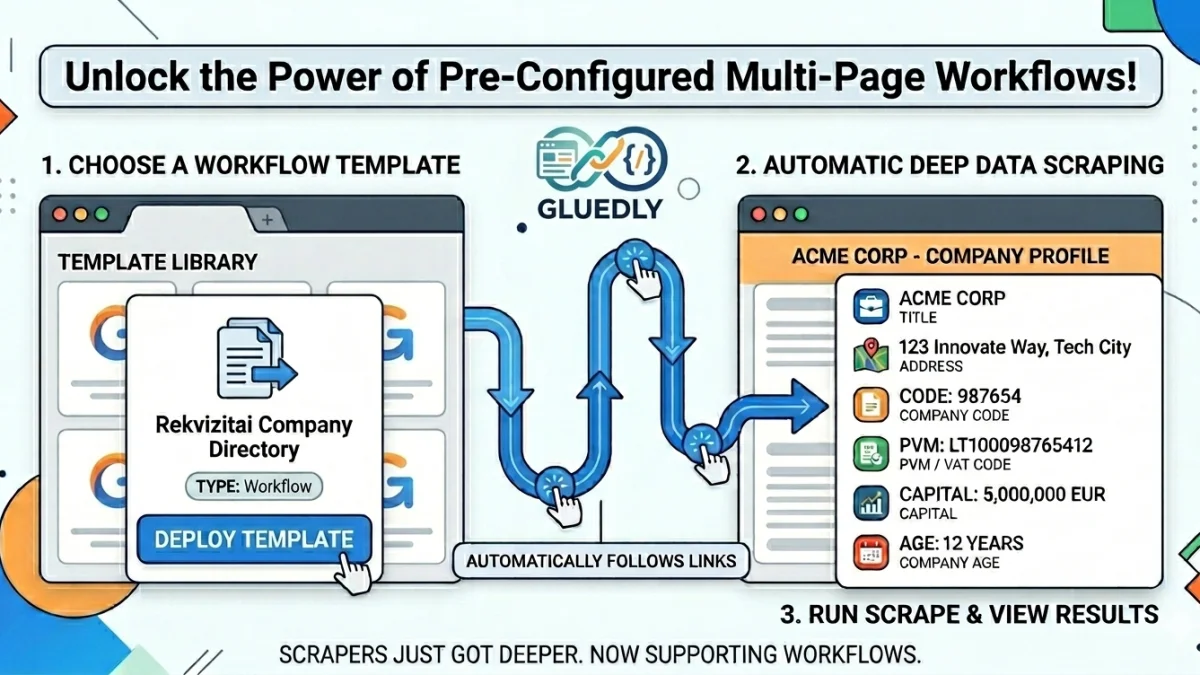
🚀 New: Extract Deep Data with Multi-Page Workflows
When you use a template, you are no longer limited to scraping just a single webpage. Templates now support full workflow capabilities, meaning you can scrape a List page (like a search directory) and automatically pull deep data from its Detail pages (like individual company or product profiles) all in one go!
When you deploy a workflow template, Gluedly automatically sets up two connected pages for you:
- The List Page — Gathers the directory rows or search results.
- The Detail Page — Automatically clicks into each row's link to grab the deep data using pre-configured field mappings.
Instead of running multiple separate scrapers, you get a seamless, combined data export from the entire journey.
What's happening behind the scenes: The template handles all the heavy lifting—including the list URLs, selectors, row containers, and the maximum item limits per run—so you don't have to configure a thing.
📁 Ready to Use: Rekvizitai Company Directory Template
We've added a brand-new workflow template to the library so you can experience this feature immediately.
- Template Name:
rekvizitai-company-directory - Category: Directories
The Data You Get:
| From the List Page | From the Detail Page (Deep Data) |
|---|---|
| • Company Title• Address | • Company Code• PVM / VAT Code• Capital• Company Age |
🛠️ A Cleaner, Smarter Pages Table
To support these new multi-step workflows, we’ve upgraded your Pages dashboard to keep your workspace organized:
- Linked Views: List and detail pages are now visually linked in your index, making it easy to see how your data flows.
- Less Clutter: To save screen space, detail-only pages are hidden by default. If you want to see them, just flip the new toggle switch.
- Visual Styling: Distinct row styling helps you instantly tell the difference between a multi-page workflow and a standard single-page scrape.
💻 Try Your First Workflow Scrape
See how easy it is to gather deep data:
- Go to your Template Library and select Rekvizitai Company Directory.
- Click Deploy Template.
- Run the scrape, sit back, and watch Gluedly deliver your combined list and detail data in a single clean output!