
· AI & Automation · Donatas · 4 min read
How to Build an AI Agent That Monitors Web Data Without Hallucinating
Stop feeding raw HTML dumps to your LLMs. Learn how to connect Gluedly to OpenAI and LangChain to build context-aware AI agents that run on clean, reliable data structures.
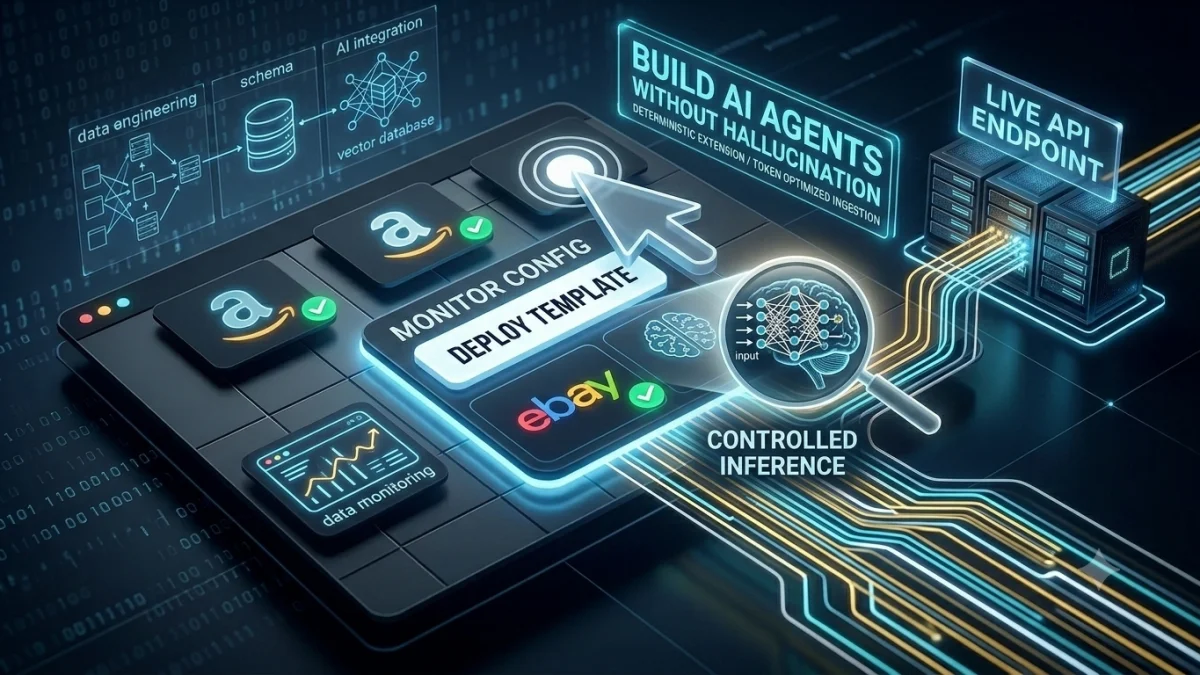
Building an AI agent that crawls the web sounds simple in theory. You point an orchestration framework like LangChain or AutoGPT at a target URL, extract the page content, toss it into a vector store, and let your Large Language Model (LLM) query the context to answer user prompts.
In production, this naive architecture breaks instantly.
If your AI agent scrapes raw web text, it isn't just reading the core article or data table—it's ingesting cookie consent banners, site navigation menus, related post widgets, promotional sidebars, and newsletter signup popups. This introduces two massive, margin-killing failure modes:
- Severe Token Bloat: Your LLM prompt context windows fill up with useless structural HTML and JavaScript junk, skyrocketing your OpenAI or Anthropic API bills.
- Context Hallucinations: Your semantic search returns "Accept Cookies" or unrelated promotional copy as valid context, causing your autonomous agent to execute completely incorrect actions.
To build a reliable, cost-effective AI agent, you must transition from Unstructured Web Crawling to API-First Deterministic Extraction. Here is the exact framework blueprint to make your agent's data ingestion layer enterprise-ready.
The Visual Reality: Token Optimization in Action
Look at what your LLM engine actually receives when you use a generic markdown/HTML crawler versus a pre-mapped Gluedly extraction lane:
[Skip to Content] [Log In] [Subscribe]
SPECIAL LIMITED TIME OFFER: 50% OFF SUBSCRIPTIONS!
By Jane Doe | Updated April 2026
... actual text is buried down here in a messy container ...
[Accept All Cookies] [Privacy Policy] [Manage Preferences]
// ✅ Gluedly Managed Template Output (42 Tokens consumed on pure context)
{
  "status": "success",
  "data": {
    "article_title": "Understanding Vector Embeddings",
    "author": "Jane Doe",
    "publish_date": "2026-04-12",
    "clean_body_markdown": "Actual core documentation text starts here cleanly..."
  }
}
By filtering out the noise before the data ever leaves our parallel network lanes, you shield your LLM context windows from useless noise and immediately slash token consumption costs by up to 95%.
Step-by-Step Tutorial: Connecting Gluedly to LangChain
Instead of managing slow, resource-heavy Puppeteer or Playwright browser instances inside your active AI worker loops, your agent can call an optimized Gluedly template endpoint natively.
Here is how simple it is to build a self-updating, web-aware knowledge tool using Python, LangChain, and Gluedly templates.
1. Set Your Environment Variables
First, make sure your API keys are securely loaded into your environment configuration:
export OPENAI_API_KEY="your-openai-api-key"
export GLUEDLY_API_KEY="your-gluedly-api-key"
2. The Python Implementation Script
Save the following script as agent_tool.py. This script defines a deterministic tool that instructs your AI agent to fetch clean web properties whenever a user asks a question about a specific live website layout.
import os
import requests
from langchain_core.tools import tool
from langchain_openai import ChatOpenAI

@tool
def fetch_clean_web_data(target_url: str) -> dict:
    """
    Extracts structured, token-optimized JSON from any target URL
    using Gluedly's managed infrastructure pipelines.
    """
    gluedly_api_url = "https://api.gluedly.com/v1/execute"

    # Passing the pre-configured RAG Template ID built in your Gluedly Dashboard
    payload = {
        "url": target_url,
        "page_id": "token-optimized-rag"
    }

    headers = {
        "Authorization": f"Bearer {os.getenv('GLUEDLY_API_KEY')}",
        "Content-Type": "application/json"
    }

    try:
        response = requests.post(gluedly_api_url, json=payload, headers=headers)
        if response.status_code == 200:
            return response.json().get("data", {"error": "No data returned"})
        else:
            return {"error": f"Gluedly API returned status code {response.status_code}"}
    except Exception as e:
        return {"error": f"Failed to connect to Gluedly lanes: {str(e)}"}

# 1. Initialize the LLM Engine (Using low temperature for maximum determinism)
llm = ChatOpenAI(model="gpt-4o", temperature=0)

# 2. Bind the Gluedly tool directly to your active AI Agent framework
agent_tools = [fetch_clean_web_data]
agent_with_tools = llm.bind_tools(agent_tools)

# 3. Test execution loop
query = "Check the article at [https://gluedly.com/blog](https://gluedly.com/blog) and summarize the main point."
response = agent_with_tools.invoke(query)

print("Agent Tool Call Decision:")
print(response.tool_calls)
Scalable Context for Autonomous Workflows
When your multi-agent systems need to keep track of highly volatile data structures—like tracking stock changes across thousands of e-commerce listings or keeping a vector database synchronized with real-time legal documentation—manually writing scripts for individual websites is out of the question.
By using Gluedly Managed Blueprints, your agent's data ingestion layer becomes completely self-healing. Even if a target website overhauls its visual CSS theme tomorrow morning, the central template abstraction layer handles the mapping adjustment instantly.
Your LLMs continue to receive clean, predictable, and strictly formatted keys (article_title, current_price, body_content) without a single line of your agent code breaking.
🚀 Give Your AI Agents Premium Sight
Stop letting messy HTML DOM trees break your RAG applications. Deploy our pre-built, token-optimized RAG template onto your Gluedly account in under 60 seconds and start feeding pristine data streams directly to your LLM architectures.
Deploy RAG Ingestion Template (Free)